
How AI Voice Smooths Daily Operations for Teams that Use Nookal
The phone rings while the front desk is checking someone in. A new patient is at the counter. A clinician is running behind and asks for the next chart note. The phone keeps ringing. The receptionist glances at Nookal, then at the phone, then back to the waiting room.
In many podiatry clinics, that moment is the whole day in miniature. Not because people aren’t capable. Because the work arrives in different channels, at the same time, and it all wants to become a clean entry in the practice management system.
A practical mental model: capture → confirm → commit → close
Teams that run on Nookal usually rely on it as the operational source of truth. Appointments, patient details, follow-ups, recalls, and daily visibility live there. But the inputs arrive messy: voicemail, missed calls, late cancellations, “Can I move my 3:20?” texts, and half-heard spelling over the phone.
A useful way to see the workflow is four stages:
Capture: collect the request and the minimum details without losing the thread.
Confirm: verify identity and intent (who, what, when, which clinic/practitioner) and remove ambiguity.
Commit: record the outcome where the team expects to find it later (often Nookal, plus tasks/notes).
Close: send the right acknowledgement, route anything unresolved, and make it visible for follow-up.
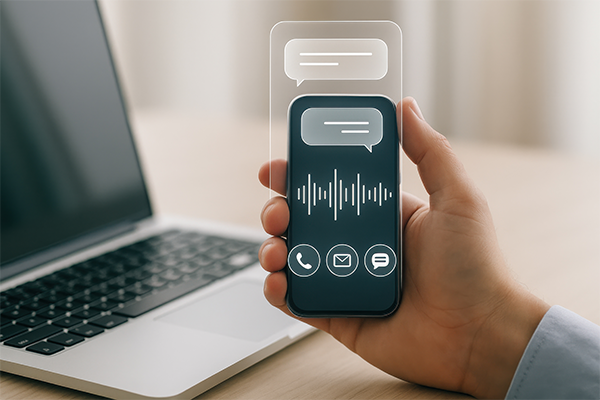
AI voice sits around this system, mainly strengthening the first two stages and reducing how often the front desk has to context-switch mid-task. In practice, it acts like a structured intake layer: it catches requests, asks consistent questions, and produces a usable handover for staff to commit into Nookal.
Where Nookal fits in day-to-day operations
In many clinics, Nookal is where the day gets steered. The appointment book is the real-time schedule. Patient profiles hold contact details. Notes and internal messages help the team coordinate. Reporting and lists help managers see gaps and upcoming workload. None of that works well if the inbound requests are sitting in someone’s head, on a sticky note, or trapped in voicemail.
That’s the operational tension: the clinic needs clean, timely entries, but patients and referrers (and sometimes staff) don’t deliver clean, timely information. The receptionist becomes the “compiler” who translates real life into Nookal entries. AI voice can help by standardising intake so the translation step is shorter and less error-prone.
How AI voice smooths the workflow without pretending to “run” Nookal
A recurring assumption is that smoother operations require the system to automatically schedule into the diary. In practice, many clinics find the leverage comes earlier: reducing interruptions, capturing complete intent, and creating consistent handover notes.
AI voice typically works like this around a Nookal-based front desk:
Calls are answered by an AI voice receptionist when staff are busy, after hours, or during overflow.
The AI collects structured details: caller name, phone number, reason for call, preferred times, and any constraints (location, practitioner preference, urgency cues).
The AI produces a clear summary for staff: a call log, a task, or a message that can be reconciled into Nookal by the team.
Staff then commit the outcome in Nookal: create/update patient details, book or move appointments, add internal notes, and set follow-ups.
The operational win many practice managers report isn’t that the work disappears. It’s that the work shows up in a more processable format, with fewer “call them back to find out what they meant” loops.
A short story from a normal Tuesday
Sara is the lead receptionist. It’s 8:12am and the waiting room is already filling. A regular patient arrives early and wants to pay before the appointment. At the same time, two calls come in: one is a new patient wanting the “soonest available,” and the other is a same-day cancellation.
Sara does what most experienced front-desk staff do. She prioritises the person in front of her and lets the calls go to voicemail. The downstream consequence shows up at 10:40am when the clinician asks why there’s a gap at 11:20 that could have been filled. Sara hasn’t had time to listen to the voicemail, call back, and document the changes in Nookal. The gap stays. Everyone feels it.
In a setup where AI voice handles overflow, the cancellation call gets captured with the patient name, appointment time, and reason. The “soonest available” call gets captured with availability preferences and contact details. Sara later reviews the structured summaries, then updates Nookal with fewer back-and-forth calls. The work still needs a human to commit it correctly, but it no longer depends on Sara catching everything in real time while multitasking at the counter.
The hidden inefficiency: assuming the phone call is the “work”
Many clinics unconsciously treat the phone call as the unit of work: answer it, solve it, move on. But in practice, the unit of work is the resolved request recorded in the system. If it isn’t visible in Nookal, it may as well not exist for the rest of the team.
That’s where operations often wobble:
A message is taken but not committed into Nookal, so clinicians don’t see it.
An appointment change is agreed verbally but not updated, so the diary becomes unreliable.
Contact details are captured inconsistently, so follow-up calls bounce or go to the wrong number.
AI voice helps when it shifts the team from “answer everything live” to “capture cleanly, then commit consistently.” It supports the operational discipline Nookal depends on: one place where the truth lives, maintained by humans with good inputs.
What this looks like with PodiVoice in the workflow
In many clinics, PodiVoice is used as an AI voice layer for inbound calls when staff are unavailable or when call volume spikes. Operationally, it behaves like a structured receptionist: it answers, gathers consistent details, and generates a summary that staff can use to update Nookal.
Typical handover patterns include call summaries routed to the practice email, a dashboard view for reception leads, and clear tags like “new patient enquiry,” “cancel,” “reschedule,” or “billing question.” The important bit is not the channel. It’s that the handover is legible enough that the team can commit the right action into Nookal with minimal rework.
Limitations, edge cases, and fallback workflows
AI voice doesn’t remove the need for human judgment, and it doesn’t eliminate exceptions. In many clinics, the edge cases are where front-desk experience matters most.
Ambiguous identity: If two patients share a similar name or the caller can’t confirm details, automation typically flags it as “needs human verification.” Staff then match the patient in Nookal before any booking changes are made.
Complex booking rules: Multi-appointment care plans, practitioner-only bookings, or equipment-dependent slots often require human scheduling decisions. The AI captures preferences and constraints; staff apply the clinic’s rules inside Nookal.
Clinical or sensitive calls: If a caller starts describing symptoms, postoperative concerns, or urgent-sounding issues, a common workflow is to capture the reason at a high level and route it to a human promptly, with clear internal notes. No clinical advice is provided by automation.
Unclear audio and accents: When transcription confidence is low, the system generally records what it can, labels uncertainty, and hands off. Staff listen to the recording if needed and document the final decision in Nookal.
System gaps: If an automated step fails (routing error, missing data, interrupted call), the fallback is simple: treat it like voicemail with structure. A staff member reviews the log, contacts the caller, and reconciles the outcome into Nookal with a note describing what happened.
The reliable operating stance is that automation supports staff rather than replaces them. It reduces interruption and captures details, but humans still own scheduling decisions, patient verification, exceptions, and the final record in Nookal.
FAQs
Will AI voice book directly into Nookal and change appointments automatically?
Will AI voice book directly into Nookal and change appointments automatically? In many clinics, AI voice is used to capture booking intent and key details, then staff commit the change in Nookal. That keeps diary control with the team and reduces scheduling errors.
What happens when the AI captures the wrong name or number?
What happens when the AI captures the wrong name or number? It is not uncommon for staff to treat AI summaries as a starting point, not a final record. A common fallback is confirming details on callback and then updating the patient profile correctly in Nookal.
How does this help if our biggest issue is reception being interrupted constantly?
How does this help if our biggest issue is reception being interrupted constantly? In many clinics, overflow answering reduces live interruptions and turns calls into structured follow-up items. Staff then batch-process those items and commit outcomes into Nookal during calmer moments.
Will clinicians end up getting more messages and more noise?
Will clinicians end up getting more messages and more noise? Will depend on routing rules. Practice managers often report better results when AI voice categories are tight and internal notes are standardised. The goal is fewer ambiguous messages and clearer handover into Nookal tasks/notes.
What does staff do differently day to day once AI voice is in place?
What does staff do differently day to day once AI voice is in place? Typically, staff spend less time “catching” calls and more time processing a queue: verify, decide, update Nookal, and close the loop. The work becomes more predictable and auditable.
Summary
For teams using Nookal, daily operations run best when inbound requests are captured cleanly, confirmed consistently, committed into the system, and closed with clear handover. AI voice can smooth that flow by reducing interruptions and producing structured call summaries, while staff keep control of scheduling decisions and the Nookal record.
If it’s useful, you can optionally explore how PodiVoice would fit around your current Nookal front-desk workflow here: https://www.podiatryvoicereceptionist.com/request-demo.

